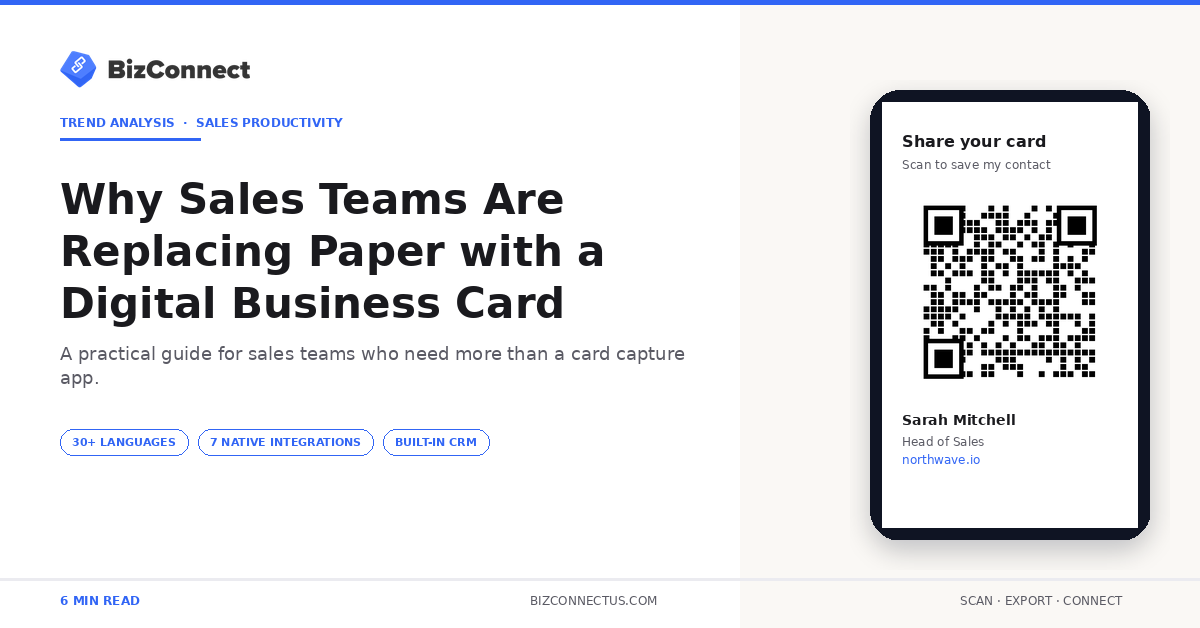
Walk into a sales meeting in 2026 and you might be handed a QR code instead of a paper card. Senior reps still carry the physical version for tradition, but underneath, the digital business card is doing the heavy lifting — shared by email, embedded in signatures, scanned from phone screens at conferences. BizConnect generates a digital card from the home screen with one tap, and over 500,000 professionals since 2016 have adopted the workflow. Here is what the shift actually delivers in practice.
What a digital card is, exactly
A digital business card is a structured contact record — name, title, company, phone, email, social links, website — shareable as a QR code, a tap-to-share NFC link, an email signature block, or a wallet pass. The recipient saves your details with one tap; no typing, no missed characters, no thrown-away card.
It is not just a contact form. Modern digital cards include analytics — you see who opened the card, when, and from where. BizConnect’s digital card generator on the home screen produces a scannable QR alongside a shareable URL, viewable on any phone with no app needed on the receiver’s side.
Why teams are switching to digital cards
The cost case is straightforward. A small team printing 500 cards per rep per year across 10 reps spends roughly $5,000 annually on design, printing, and reprints when phone numbers or titles change. A digital card system replaces that with BizConnect Premium at $9.99 per user per month — and updates everyone’s details instantly when a phone number changes.
The other case is tracking. With paper you never know if the prospect kept it, lost it, or threw it out. With a digital card system you see open events — useful for follow-up timing. Research from Forbes on sales digitisation repeatedly cites measurable engagement as the single biggest advantage of digital sales assets over their print equivalents.
What digital cards do better at trade shows
Trade shows are where the difference becomes visible. A rep with paper cards can hand out 300 in a busy three-day event — but at the end of the show, the booth has accumulated 300 cards from other people, all needing to be scanned, sorted, and followed up. With digital cards, each rep shares a QR code and the visitor’s phone captures the details in two seconds.
It is a two-way exchange. The follow-up email goes out the same evening rather than three days later when the cards are finally typed up. The BizConnect web dashboard shows when each shared card was opened, so reps know which prospects looked at the details before sending the first email.
How to roll out a digital card in a team
Three steps. First, pick a platform that handles card creation, QR generation, analytics, and integration with whatever CRM your team uses — BizConnect covers all of those plus the 5,000+ Zapier connector. Second, decide on branding — colours, logo, default CTA — and roll out a template all reps adopt. Third, train the team on sharing — QR display, email signature embed, wallet pass.
Within two weeks the new workflow becomes second nature. Reps comparing the broader category often check the broader card-app buyer’s guide before committing. For the same team that already scans incoming cards through BizConnect, the digital card creation feature inside the app is the same install — no second subscription, no integration debt.
Common objections and how to address them
Two objections come up. The first is age — older clients may prefer paper. The fix is to carry both. A small stack of paper plus a digital card on tap covers every situation. The second is etiquette — handing over a phone QR can feel less personal than the formal exchange of a printed card.
The fix is presentation: a clean digital card with a photo, title, and a one-line value statement feels more thoughtful than a paper card stuffed with logos and bullet points. A 2024 LinkedIn report on B2B sales behaviour noted buyers under 40 actively prefer digital exchange. The over-50 segment is roughly split. The trend curve is one-way.
What sharing a digital card actually looks like
BizConnect generates the digital card from the home screen — tap QR Code, fill in your contact details, and the card is ready. Share it via WhatsApp, email, SMS, AirDrop, or display the QR on your phone screen at an event. The recipient gets a clean contact card they can save directly to their phone with one tap.
Reps already comfortable with the scanning side often expand into the digital-sharing side in the same week. The pattern shows up clearly in the BizConnect adoption funnel — reps who send a digital card through the app within their first month tend to keep using both sides of the product.
Environmental and brand impact worth flagging
There is a sustainability story most marketing teams underplay. The global paper card industry produces billions of cards a year and a meaningful share end up in bins within hours. Replacing most of a team’s printed cards with shareable digital versions cuts paper waste by tens of thousands of cards per year for a mid-sized company — small individually, real in aggregate.
Brand-wise, a polished card design carries through every share, every time. No more reps handing out the old logo because they have a leftover stack from before the rebrand. The single update at the platform level propagates instantly across the whole team.
What a digital business card pilot actually looks like
A practical digital business card pilot runs 90 days with three reps. Week 1: pick the platform, design the template, configure the QR. Weeks 2–4: roll out at one event, capture analytics. Weeks 5–8: refine the design based on engagement data and add the digital card to email signatures. Weeks 9–12: measure the open rate, click-through, and follow-up conversion against the same team’s paper-card baseline.
Teams that run this pilot rarely go back to paper-only. The data is too clear — opens, clicks, and follow-up timing all improve. BizConnect’s analytics on the digital business card live inside the same app the reps already use, so there’s no second login to manage.
The bottom line
Paper business cards are not going away tomorrow, but they are quietly being supplemented — and in some teams, replaced — by a digital business card that costs less, shares faster, and delivers measurable analytics. If your team is still printing in bulk, run a 90-day digital card pilot with three reps and compare the numbers. BizConnect’s free plan covers the pilot end to end.
Frequently Asked Questions
How is a digital business card different from a paper one?
A digital business card is a sharable contact record — usually a QR code, NFC tap, or URL — that the recipient saves with one tap. Unlike paper, it updates centrally when your details change, includes analytics, and never runs out. BizConnect generates the QR from the home screen and tracks who opens it, so follow-up timing is data-driven rather than guesswork.
Do digital business cards require an app on the receiver’s side?
No. Digital cards are shared as a QR code or URL that opens in any phone browser. The receiver saves the contact directly to their phone’s address book without installing anything. BizConnect’s digital card link works on iPhone, Android, and any modern browser — the lowest possible friction for the recipient.
Can a digital business card include my LinkedIn and other social links?
Yes. BizConnect’s digital card supports multiple links — LinkedIn, X, Instagram, WhatsApp, calendar booking pages, portfolio sites. The recipient sees a clean list of clickable links rather than a paper card crowded with logos. Updates to your social profiles flow through centrally.
Are digital business cards secure?
Reputable platforms encrypt the card data at rest and in transit. BizConnect’s cloud storage (managed by Atmas Technologies FZCO, registered in the UAE) follows enterprise security standards. You can revoke or update a shared card centrally — so if you change jobs, your old card link can be redirected or disabled. Paper cards offer none of these protections once handed over.
Can I track who opens my digital business card?
Yes — BizConnect logs the date, time, and approximate location of each card view. This is useful for follow-up timing. Some advanced views also track which links on the card got clicked, so you know whether the recipient went to your portfolio, your calendar, or your LinkedIn first. That signal alone shifts how reps prioritise follow-up sequences.