“Free” is the most overloaded word in app pricing. With a business card app, the free plan can mean genuinely useful, or it can mean a demo that locks the one feature you actually need. This guide draws the honest line: what a good free business card app gives you for nothing, where the free tier stops, and exactly when paying starts to make sense. No upgrade nagging — just what you get.
What “free” usually means in this category
Across business card apps, free tiers fall into two camps. The fair ones give you full functionality with a daily or monthly cap on scans. The frustrating ones let you scan freely but lock export — the moment you try to get your contacts out, you hit a paywall. The second model is the one to avoid, because a scanner you cannot export from is a diary, not a tool. Always test export before you trust an app with a stack of cards.
What BizConnect’s free plan actually includes
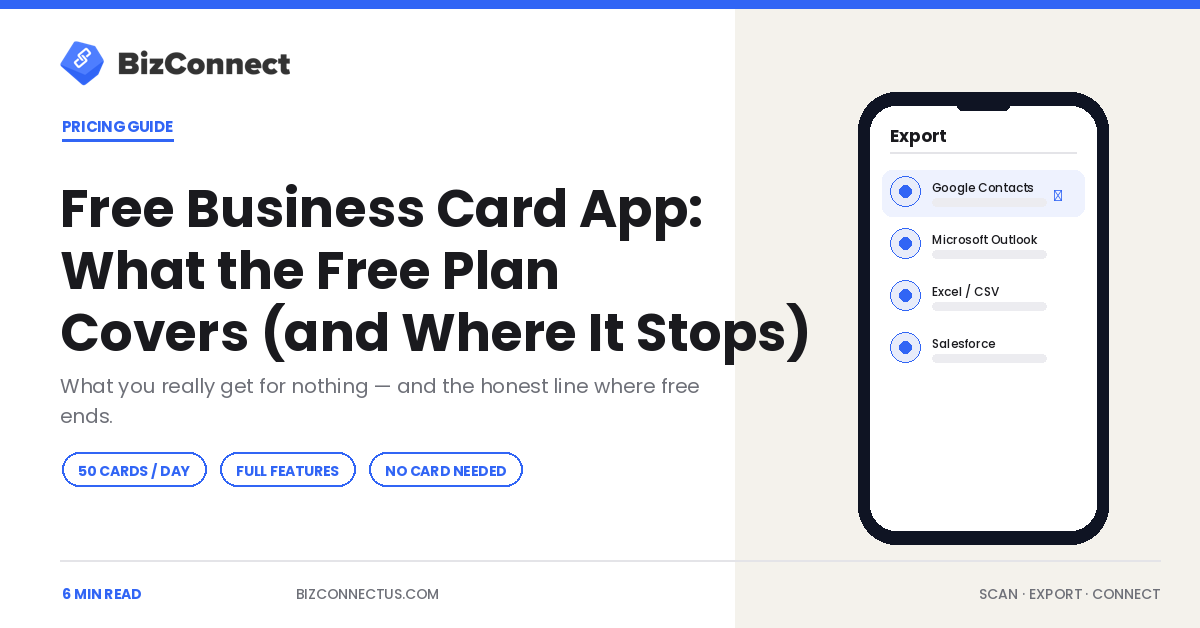
BizConnect’s free plan allows up to 50 cards a day with full feature access — not a stripped demo. That includes OCR scanning in more than 30 languages, contact organisation with tags and notes, and real export to Excel, Google Contacts, and Outlook. Fifty cards a day works out to roughly 1,500 a month, which comfortably covers most individual professionals. You can scan, organise, and get your data out without ever entering a card number.
Where the free plan stops
The free tier is generous, but it is not the enterprise product. Unlimited daily scanning, team management with an admin dashboard, role-based access, and the deeper CRM integrations to Salesforce, HubSpot, and Zoho sit on the paid plans. If you attend a multi-day expo and blow past 50 cards in a morning, or you need several reps scanning into one shared library, that is the line where free ends and Premium begins.
Who the free plan is perfect for
The free plan is ideal for freelancers, consultants, and anyone whose networking is steady rather than intense. If you collect a handful of cards a week at meetings and the occasional event, 50 a day is far more headroom than you will use, and full export means your contacts are never trapped. For a solo professional, a free business card app genuinely can be the whole solution — our guide to choosing the best app for business cards explains what to look for beyond price.
How to tell when it is time to upgrade
Two signals tell you that you have outgrown free. The first is hitting the daily cap during events — when scanning stops mid-stack, the lost time is worth more than the subscription. The second is needing other people in the system: the day a colleague needs to see your contacts, you need team features, not a bigger personal plan. BizConnect’s Premium runs $9.99 a month or $79.99 a year, with Enterprise at $399.99 a year for ten or more licences, and no per-scan billing at any tier.
The free-versus-freemium traps to watch
Before committing, check three things. Can you export your full database as a file at any time, with no lock-in? Does the free plan include the languages you actually need, not just English? And are the reviews on the App Store and Google Play, sorted by recent, free of weekly-crash complaints? If you want to compare how the main names handle their free tiers on raw capture, the 2026 scanner buyer’s guide lays them side by side.
How to test a free business card app before you trust it
A free plan is only worth adopting if you stress it first. Spend ten minutes on three checks. Scan five very different cards — a glossy one, a bilingual one, a minimalist one — and see how many fields land correctly without edits. Export those contacts to a real destination such as Excel or Google Contacts and confirm the data arrives clean. And open the same account on a second device or the web dashboard to check that everything syncs. If a free business card app passes all three, it will handle your day-to-day fine; if it stumbles, you have learned that for free rather than at an event with a stack of cards in hand.
When “free” is really a sales funnel
Some free plans are designed to frustrate you into upgrading rather than to be useful. The tells are familiar: a scan cap so low you hit it on day one, export locked behind the top tier, or a watermark on shared cards. A fair free plan, by contrast, gives you complete functionality within a sensible limit — which is the model BizConnect uses with its 50-cards-a-day allowance and full export. Before committing a team, it is worth reading how reps actually use these tools day to day in our guide to exporting scanned cards to Excel, because the workflow, not the price tag, decides whether a free plan sticks. The good news for individuals is that a genuinely free tier, used well, can cover years of ordinary networking without ever costing a thing — the trick is simply checking that your data is always yours to export.
It also helps to set yourself a simple rule: if an app ever blocks you from exporting your own contacts, that is the day you leave it. Treat the free plan as a long audition rather than a trap. The strongest free business card app earns an upgrade by being useful first, and only asks for money once you have genuinely outgrown what it gives away.
The bottom line
A free business card app is worth using when it gives you real features and real export, not a locked demo. BizConnect’s free plan — 50 cards a day, full features, native export — covers most individuals completely, and the paid tiers only earn their keep once you scan in volume or add a team. Start free, test the export, and upgrade only when the app has already proven itself.
Frequently Asked Questions
Is there a genuinely free business card app?
Yes. BizConnect's free plan scans up to 50 cards a day with full feature access, including export to Excel, Google Contacts, and Outlook — not a locked demo. Roughly 1,500 scans a month covers most individual users. Paid plans add unlimited scanning, team features, and deeper CRM sync, but a solo professional can often run entirely on the free tier.
How many cards can you scan on a free plan?
On BizConnect, the free plan allows 50 cards per day, which is about 1,500 a month. That is ample for steady networking. The cap mainly bites during multi-day trade shows, where a single morning can exceed 50 scans. At that point the Premium plan removes the daily limit for $9.99 a month or $79.99 a year.
Can you export contacts on a free business card app?
With a good one, yes. BizConnect includes real export on its free plan to Excel, Google Contacts, and Outlook. Beware apps that let you scan freely but lock export behind a paywall — a scanner you cannot export from is not useful. Always test the export feature on a couple of cards before you trust an app with a full stack.
When should you upgrade from a free plan?
Two clear signals. First, when you regularly hit the daily scan cap at events and lose time mid-stack. Second, when someone else needs access to your contacts, which means you need team features rather than a bigger personal plan. Until one of those is true, the free tier is usually all an individual professional needs.
Is a free business card app safe to use?
A reputable one is. BizConnect stores scanned contacts in its own secure cloud with backups, rather than only in your phonebook, and lets you export your full database at any time. Check that any free app you choose offers data export with no lock-in and has strong, recent reviews before trusting it with client contact details.