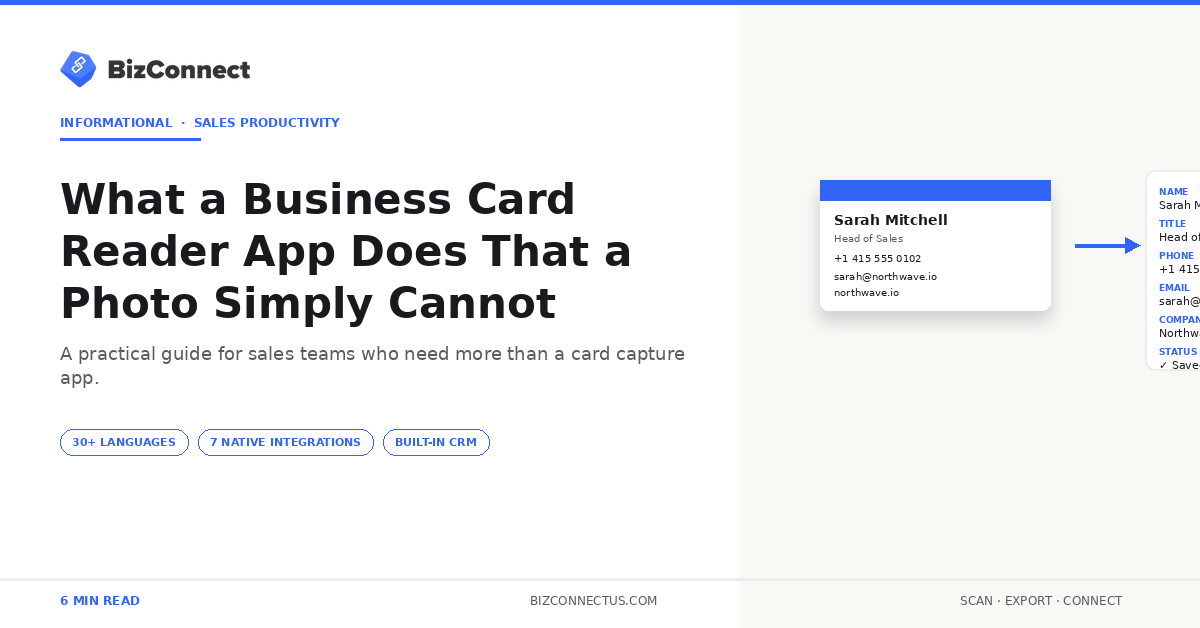
Plenty of professionals still take photos of business cards on their iPhones or Android phones, thinking the photo will do. Months later, the camera roll has 300 photos of cards, and not one phone number is searchable, exportable, or autocomplete-ready in Gmail. A business card reader app closes that gap — and the difference between BizConnect’s reader (used by over 500,000 professionals since 2016) and a plain phone photo is not subtle. It changes what a card actually is, from a piece of paper into a piece of structured data.
A photo is an image. A business card reader app gives you a contact
A business card reader app does something a phone camera cannot. Snap a photo of a card and your phone stores a JPG. The text on the card is visually preserved but not understood — your phone has no idea which pixels are the name, which are the email, which are the phone. To call the number you read the photo and type it. To email the person you switch apps. To save the contact to your address book you retype everything.
BizConnect fixes all of that. It runs OCR on the card image, identifies the structured fields, and saves a real contact record. The phone number becomes tappable, the email becomes one-tap email-able, the address links to maps. Everything searchable, everything shareable.
Structured data unlocks every downstream tool
The moment a card is structured contact data, every other tool can use it. Outlook autocomplete picks up the email. Google Contacts adds the phone number to Gmail and your Android phonebook. Salesforce or HubSpot turns the contact into a lead. Mailchimp can target the person in a campaign. WhatsApp can find them by phone number. A photo cannot do any of this.
Microsoft’s Outlook contact import documentation is explicit on this — only structured contacts (not image attachments) integrate properly with email autocomplete and shared address books. This is why a business card reader on BizConnect’s web dashboard is functionally a different tool from a phone camera, not a fancier version of one.
The hidden cost of relying on photos
Reps who store cards as photos pay a price that compounds quietly. Lost cards — photos scattered in a 20,000-image camera roll are unfindable two months later. Missed follow-ups — a follow-up that takes two minutes from a structured contact takes ten minutes from a photo because of the retyping. Lost leads — a buyer who got no reply within 48 hours usually moves on. Hours of admin every quarter to retype the most important cards by hand.
A 2024 McKinsey report on B2B sales productivity found field reps lose roughly 8 hours a week to admin tasks like manual contact entry. A reader app reclaims most of that time.
What a good business card reader app does beyond OCR
Modern reader apps do more than extract text. BizConnect tags contacts by event so you can pull everyone you met at a conference with one filter. It attaches voice notes so context follows the contact. It syncs the contact across iPhone, Android, and the web dashboard in seconds. It pushes to your CRM directly — seven native integrations plus 5,000+ Zapier apps. It flags low-confidence fields for review and creates follow-up reminders.
All of these exist because the underlying data is structured. None of them are possible with a photo. The full ranking of BizConnect against CamCard and ABBYY rests on this same difference — accuracy plus integration depth turns a card from an image into a record.
When a photo is actually fine
Honest counterpoint — a photo is fine in two specific cases. First, when you only want to remember a name and a face for a casual interaction. Second, when the card is so unusual (stamped metal, embroidered fabric) that no OCR engine will read it cleanly and the photo is the only viable storage form.
For the vast majority of cards you encounter, a reader app turns the same act of capturing into something usable. The free BizConnect plan covers 50 cards a day at zero cost — more than enough for individuals testing whether the upgrade is worth it.
Switching from photos to a business card reader app
The transition is easier than most reps expect. Pick a reader app, import the camera roll (BizConnect can batch-process existing photos into structured contacts), and going forward, tap scan instead of tap photo. Within two weeks the new workflow is automatic. Within a month the camera roll has stopped filling with cards, the address book is fuller, and the first follow-up email goes out the same day the rep gets back to the hotel.
Reps already comparing scanners often check the matching scanner buyer’s guide before deciding — same workflow logic, slightly different framing for buying teams.
How OCR accuracy holds up in real use
Top OCR tools hit reliably high field accuracy on standard printed cards in 2026, with low-confidence flags catching the rest. The genuinely tricky cards — handwritten notes, foil printing, stamped metal — drop into the lower band, but BizConnect surfaces exactly which fields are uncertain. Compared with the fully manual workflow of typing from a photo, even a mostly-automated workflow is dramatically faster and almost always cleaner.
The error rate of human typing across a 100-card stack on a tired Sunday evening is usually higher than any automated tool — and far less consistent across the team. Reviewing the captured fields takes seconds; retyping from a photo takes minutes per card. Multiplied across an event week, that gap is the entire argument for switching.
What to do with a camera roll full of business card photos
If your phone already has hundreds of card photos accumulated over years, you don’t need to retype any of them. BizConnect’s batch import takes existing photos from the camera roll, runs OCR on each, and converts them into structured contacts in your address book. A 200-photo backlog typically processes in under 30 minutes, and the export to Google Contacts or Outlook handles the rest.
Once the backlog is cleared, the going-forward workflow flips: tap scan instead of tap photo. Within two weeks the new habit is automatic, and the camera roll stops filling with cards entirely. This is the cleanest reason to install a business card reader app even if you don’t run a sales team — the personal archive alone is worth the install.
The bottom line
Photos store business cards. A business card reader app reads them. The difference is the difference between an image gallery and a working address book — and over a year of card collecting, the gap turns into hours of admin time and leads that quietly slip away. If your phone has more card photos than active contacts in your address book, run BizConnect for a month and see how much changes.